
Lighting and scenes
Define circuit types and dimming drivers, then agree scene levels and which controls can override a schedule.
Room automation
Let occupants recall lighting scenes and operate shades and room climate from simple, consistent controls.
Operator view
Explore an illustrative interface with sample readings and events. Screen design and functions vary by project and platform.
Residence · Ground floor
Ground floor · Evening sceneLiving and dining levels applied
| Point or device | Reading or state | Detail |
|---|---|---|
| Reading scene | Available | Wall keypad |
| Living room downlights | 60% | Dimming group |
| Window shade | Closed | Motor feedback |
| Occupancy | Detected | Ceiling sensor |
Solution design
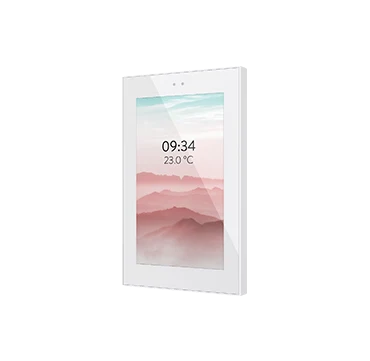
KNX devices share lighting, sensing and control functions on the project bus. Touch panels or other visualisation interfaces can group controls by room or scene.
Define circuit types and dimming drivers, then agree scene levels and which controls can override a schedule.
Coordinate keypads, occupancy sensing, shade travel and climate requests with the electrical and HVAC design.
Confirm local keypad behaviour when the visualisation server is offline and test restart behaviour for affected circuits.
Lighting and shade schedules, keypad layout, KNX group-address schedule, scene matrix, programming records and functional testing.
Manufacturer references
ECOLEAD CONTROLS
Share your requirements with our Damascus team. We can discuss the system scope and the next steps.