
Coverage and camera selection
Define the task at each location, review mounting, lighting and blind spots, and confirm what the operator should be able to see.
Video security
Plan camera coverage and recording around site needs. Give authorised operators a clear view of live channels, recording health and events.
Operator view
Explore an illustrative interface with sample readings and events. Screen design and functions vary by project and platform.
Example facility · Recorder and channel health
CAM-16 · Video signal unavailableRecorder created a channel alert
| Point or device | Reading or state | Detail |
|---|---|---|
| CAM-01 · Main entry | Recording | Continuous |
| CAM-04 · Lobby | Recording | Continuous |
| CAM-09 · Service yard | Recording | Motion event marked |
| CAM-16 · Loading bay | Offline | No live image |
Solution design
IP cameras feed recording and video management systems. Camera type, lens, field of view and retention are designed against the site survey and the project’s operating requirements.
Define the task at each location, review mounting, lighting and blind spots, and confirm what the operator should be able to see.
Agree retention, recording modes, operator views and how footage or events are retrieved under the site procedure.
Check camera, recorder and VMS compatibility. Confirm any approved access-control event association separately.
Camera and coverage schedule, bandwidth and storage estimate, recording policy inputs, view and recording tests, and operator handover.
Manufacturer references
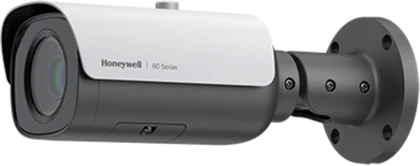
Camera reference for indoor and outdoor surveillance.
Manufacturer documentationECOLEAD CONTROLS
Share your requirements with our Damascus team. We can discuss the system scope and the next steps.